🟦 lcd marquee
After getting into electronics a few weeks ago, I set out to build my first real project. I wanted something that had both a hardware component, as well as a web application to go along with it. I landed on the idea of a real time scrolling LCD message board.
📋 project planning
The goal of the project was to have an LCD screen that displayed messages in real time as users sent them to me. There would be a web application with a form that allows users to submit messages. I also wanted the web application to be real time as well, so it should also be able to receive and display the same messages as the LCD.
⚡ hardware and microcontroller
Starting with the hardware, I hooked up the LCD screen to my Raspberry Pi 5. Even though the LCD had many inputs and outputs, the module I used simplified the connection to only four wires.
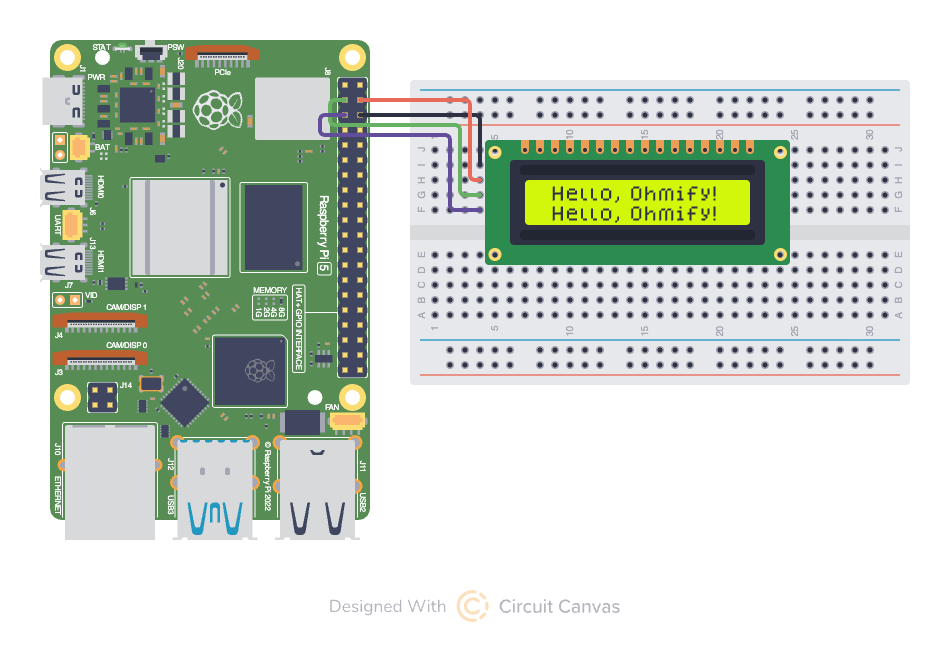
With just a few lines of python I had text scrolling across the screen. If you're interested in the full source code, you can find it in my lcd-marquee-pi repository.
⏱️ realtime
Now came the interesting part, setting up some sort of real time system to accept and deliver messages. Apparently in the IoT world there is a standard for this kind of stuff called MQTT. Many hosts implement these protocols, so I went with HiveMQ to set up the MQTT service.
The setup was super quick from the HiveMQ dashboard. The next step was implementing clients for both the JavaScript web application and the Python running on the microcontroller. Luckily there are libraries in both languages for MQTT that were easy to configure.
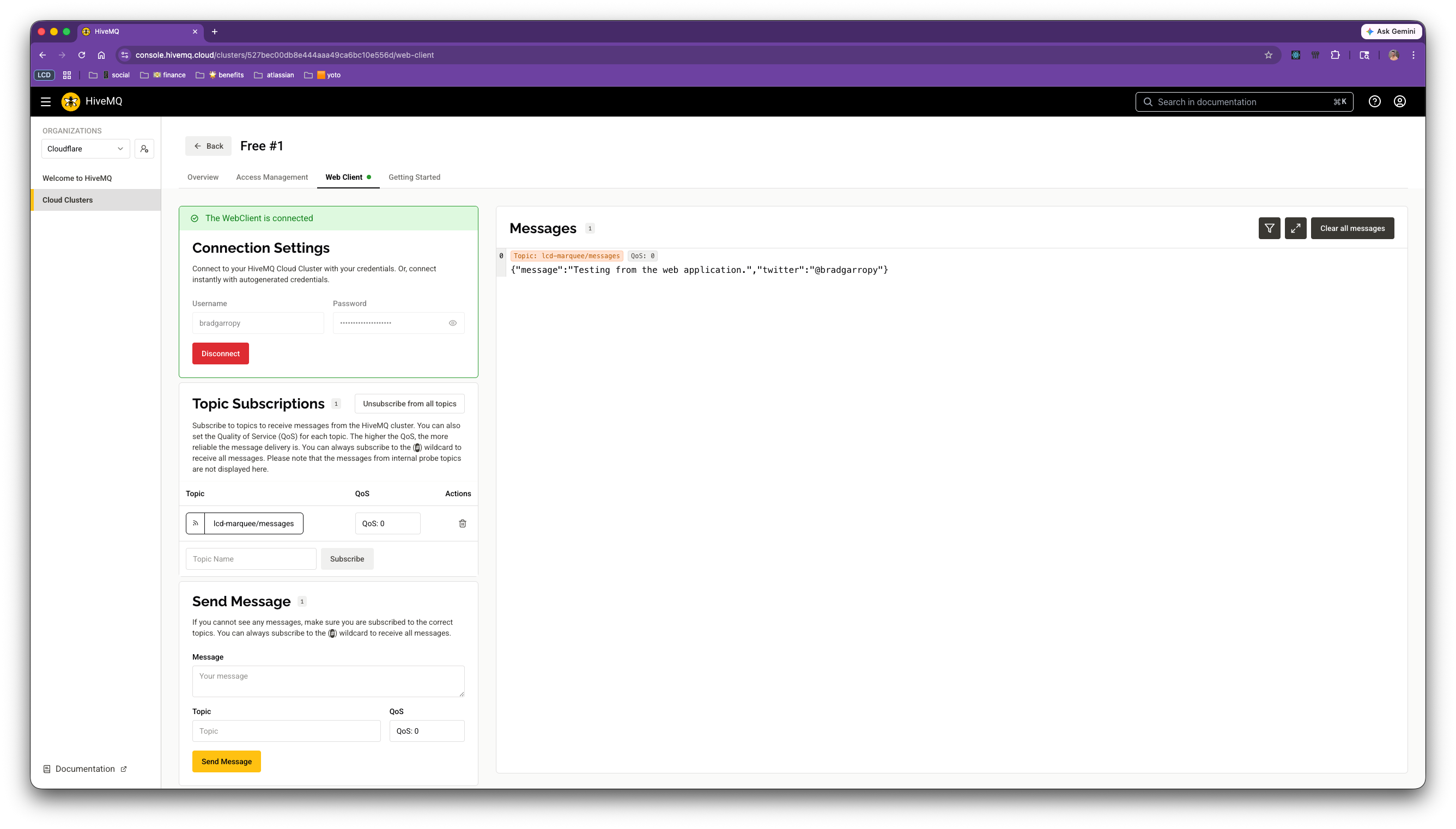
I was able to test the server and client setup from the HiveMQ console, making it very easy to confirm that my code was listening to messages properly.
🌐 web application
The web application was the part of the project that I was most comfortable working with. I spun up a quick react-router application and hosted it on Cloudflare. I wanted it to have a unique look and feel, so I recreated the LCD screen with a custom font to make it feel real.
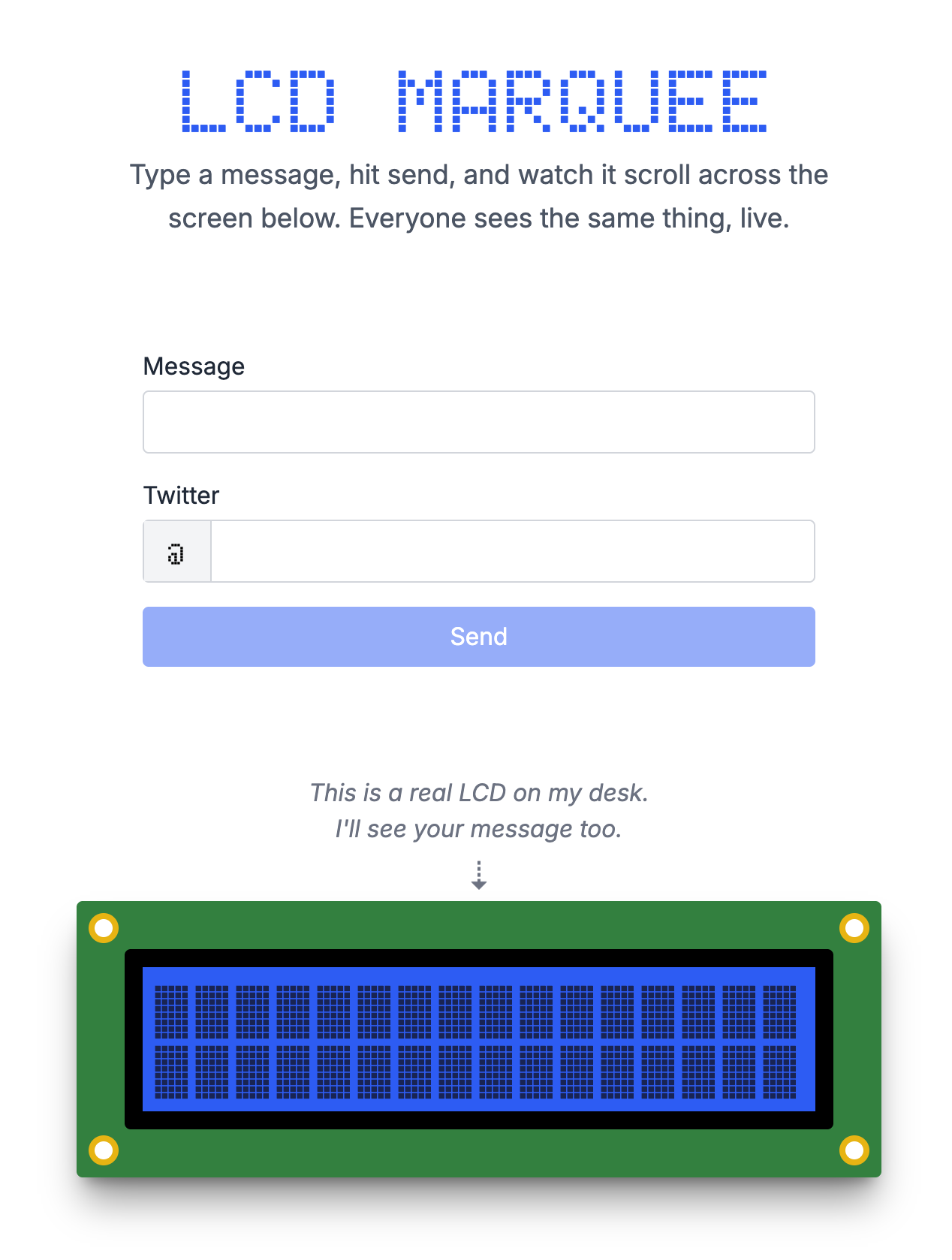
At its core, the web application is a simple form that submits messages and sends them off to the MQTT server. However, the MQTT client implementation wasn't as straightforward here. Because the web application is running as a Cloudflare Worker, I had to use a Durable Object to listen to the MQTT server and send WebSocket messages to the browser.
You can check out the full source code in my lcd-marquee-web repository.
🏰 architecture
The overall architecture looks something like this. HiveMQ is at the center of it all. The browser acts as a publisher as well as a subscriber. The microcontroller acts only as a subscriber. There is an extra Durable Object in the mix to handle the real time communication between the MQTT server and the browser via WebSockets.
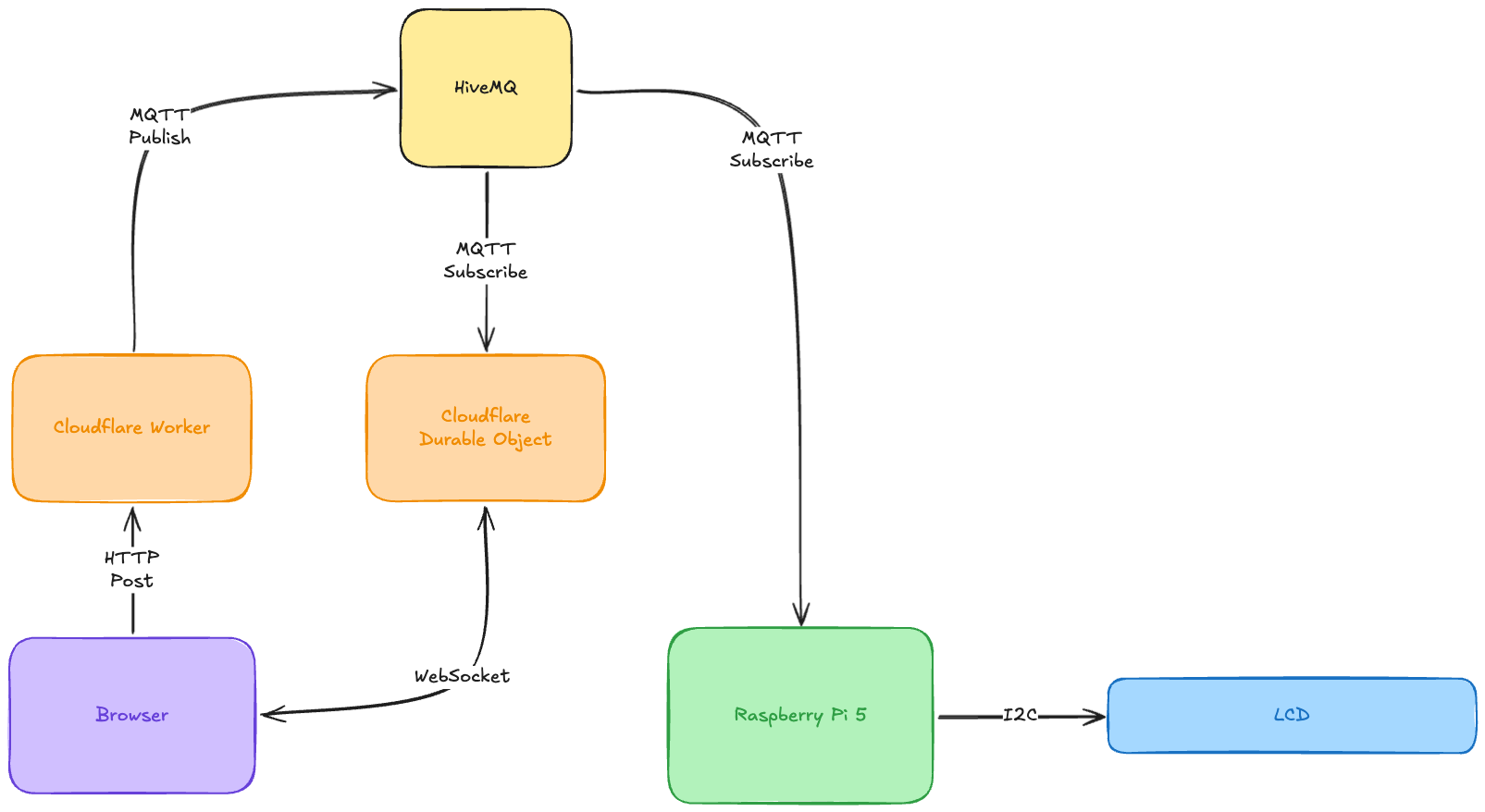
While it may have been simpler to host on a long running Node server somewhere, I've been really loving the flexibility of deploying to Cloudflare lately.
📢 message me
This project is fully up and running! Send me a message from this link.
You'll even be able to see what other people are sending me as well!